
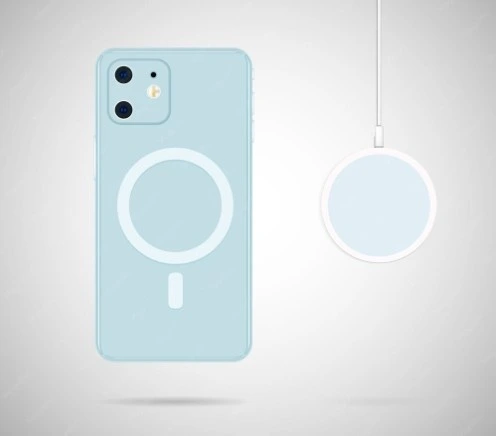
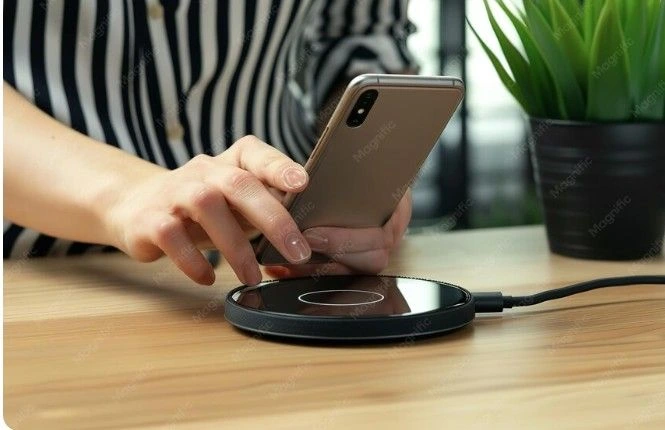
The fastest way to know is the snap test. Hold a MagSafe charger against the back of your empty case, without your phone inside. If it clicks firmly into place and holds on, your case is MagSafe. If it slides right off, it is not. You can also check inside the case for a faint circular ring, which is where the magnets sit.
What Does a MagSafe Case Actually Do?
A MagSafe case has a ring of magnets built into the back. That ring lines up with a matching magnet ring inside your iPhone, so chargers, wallets, and stands snap into place without you needing to line anything up by hand.
MagSafe first appeared with the iPhone 12 in 2020. Before that, phone cases could still support wireless charging, but nothing clicked into place the way MagSafe accessories do. The system also tells your charger exactly where the charging coil sits, so power transfers more reliably than it does through a case with no magnets at all.
The Snap Test, the Fastest Way to Check
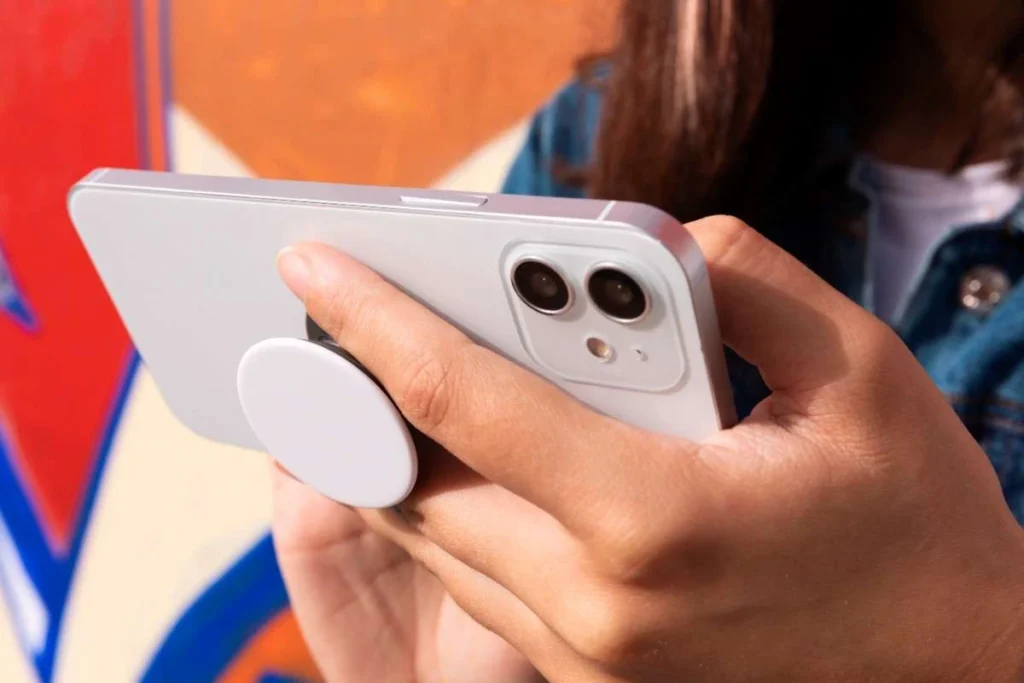
You don’t need any tools you don’t already have. If you own a MagSafe charger, MagSafe wallet, or any official MagSafe accessory, you can test your case in under a minute
Take your phone out of the case.
Hold a MagSafe charger or MagSafe accessory against the outside of the empty case.
Check if it clicks firmly into place and is hard to pull off.
If the magnet grabs on and holds its position, your case is MagSafe. If it slides off easily or barely sticks, the case doesn’t have MagSafe magnets built in, even if it looks similar to one that does.
Can You See the Magnet Ring Inside the Case?
Yes, on most cases you can see or feel a faint circular outline on the inside, right where the magnets sit. This is a quick visual check you can do without any accessories at all.
Take your phone out and look at the interior of the case, near the center of the back panel. Many manufacturers leave a visible ring shape pressed into the material, or print the words “MagSafe Compatible” directly inside the case. If you run your finger over that spot and feel a slightly raised or dense circular area, that is usually the magnet array.
Check the Packaging or Product Listing
Yes, this is a great starting point. Look for the exact words “MagSafe Compatible” or “Made for MagSafe” on the box, the tag, or the online listing where you bought the case.
This label check is the fastest way to confirm before you even open the box. For the most complete answer, pair it with the snap test above. Together, the two checks give you a clear, confident result in under a minute.
Does Your Case Work With Your Exact iPhone or Samsung Model?
MagSafe is built directly into iPhone 12 through the newest iPhone models. It’s not built into Samsung Galaxy phones at all, so a “MagSafe case” for Samsung always relies on an added magnetic ring rather than the phone itself.
| Phone | Has Built In MagSafe | Notes |
| iPhone 12 through 17 | Yes, built into the phone | Any properly built MagSafe case will work |
| iPhone 11 and earlier | No | MagSafe cases will not click into place natively |
| Samsung Galaxy | Not built in | Only works with a case or ring that adds its own magnets |
If you are shopping for a new case either way, it helps to start with one built for your exact phone model. Browse custom phone cases for iPhone and Samsung to see options sized for your specific device.
Why Does the Connection Feel Weak Even With a MagSafe Charger?
Thickness and material are the two most common reasons. Apple’s own guidance states a case needs to be close to 2 millimeters thick or less for MagSafe to work well through it.
A case that is very thick, heavily padded, or has a metal or metallic finish on the back can block or weaken the magnetic pull, even if the case technically has magnets inside. Rugged, heavy duty cases built for extra drop protection are the most common culprits, since the extra material needed for that protection often pushes past the 2 millimeter range MagSafe was designed around. If the price is part of your decision too, our guide on how much a phone case should cost breaks down what you get at each price point.
How to Tell if a MagSafe Case Is the Real Thing
The clearest sign is the screen animation. If you attach an official Apple MagSafe case to an unlocked iPhone, a small color matched animation appears on screen. Genuine MagSafe cases trigger this every time.
Beyond the animation, a firm magnetic hold is the other easy sign to check, along with packaging that clearly uses the words “MagSafe Compatible.” If a case is missing all three, it likely was not built with real MagSafe magnets, even if it was sold under that name. Either way, the case is still fine to use day to day. It simply will not work with MagSafe accessories.
Your Case Is Not MagSafe. Now what?
You have two realistic options. Add a thin magnetic ring insert to the case you already have, or switch to a case built with MagSafe magnets from the start.
A magnetic ring conversion kit sticks to the inside or outside of your current case and is the cheaper, faster fix if you like the case you already own. Switching cases makes more sense if your current one is very thick or made from a material that blocks the connection entirely, since a stick-on ring can’t fix that on its own. If you are switching, design your own case with your own photo instead of picking another plain, off the shelf design.
Frequently Asked Questions
1. Are all phone cases MagSafe?
No. Only cases built with a magnet ring inside, or ones paired with a magnetic ring accessory, work with MagSafe chargers.
2. Are all Apple phone cases MagSafe?
Apple’s own cases released since the iPhone 12 are MagSafe by default. Older Apple cases made before MagSafe existed are not.
3. Can Android use MagSafe?
Not natively. Samsung and other Android phones do not have a built in magnet ring, so MagSafe style charging only works with a case or accessory that adds its own magnets.
4. How do I check if my phone has MagSafe?
Check your model first. iPhone 12 and every model after it has MagSafe built in. iPhone 11 and earlier do not, regardless of what case you use.
5. Why was MagSafe discontinued?
MagSafe has not been discontinued for the iPhone. The name was originally used for an older MacBook charging cable design, which Apple did retire, but the iPhone version of MagSafe is still an active, current feature.
6. How to tell if a case is MagSafe?
Use the snap test. Hold a MagSafe charger to the empty case. A firm click means yes, a weak or sliding connection means no.
Snap test done. Now snap in a case that’s actually yours